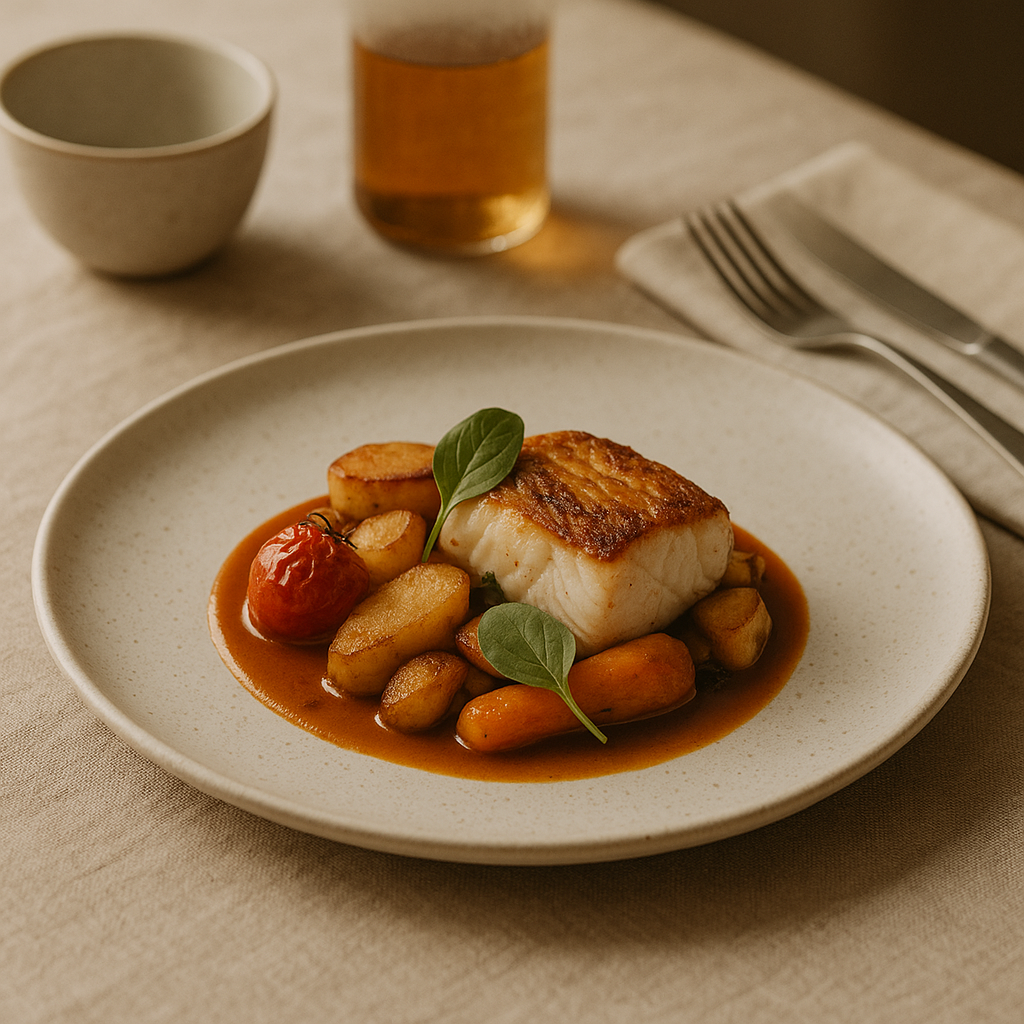
Your digital menu is now your host, server, and storefront—often the only chance to win a tap on Uber Eats, Glovo, Just Eat, or your own site. In 2026, digital menu photography isn’t a nice-to-have; it’s a revenue lever. Industry reports indicate that clear, appetizing images correlate with higher conversion and fewer customer complaints, while fast load times and consistent styling help reduce cart abandonment. FoodFix gives restaurants a faster, more predictable path to those outcomes by generating or upgrading menu visuals on demand.
Why images decide the click in 2026
Great photos do three jobs before a diner even reads a word:
- Signal quality: Crisp, well-lit dishes imply care, cleanliness, and reliable portions.
- Set expectations: True-to-life portions and textures reduce order disappointment.
- Speed decision-making: Simple, on-brand visuals reduce friction when customers scroll.
Industry reports indicate that strong visuals can drive double-digit gains in menu engagement and reduce returns stemming from misaligned expectations. Even if your cuisine is outstanding, low-contrast, inconsistent, or slow-loading images can bury your signature items below competitors with sharper presentation.
What great digital menu photography looks like in 2026
This year’s benchmark for digital menu photography blends appetite appeal with platform compliance and brand consistency:
- Composition with intent: Tight crops, clean negative space, and a single hero angle per item for listings; supporting angles reserved for galleries.
- Light that flatters food: Soft, even light with gentle shadows; avoid blown highlights on sauces and glossy toppings.
- Honest color: White balance that preserves true tones—greens should stay fresh, meats should read as cooked, and sauces shouldn’t drift neon.
- Texture, not clutter: Steam, glaze, grill marks, and crumb detail trump busy props. Keep cutlery and linens minimal.
- Background discipline: Neutral backgrounds (light gray, off-white, or brand-accent solids) that meet delivery-app rules and make food pop.
- Consistent framing: Similar crop and distance across categories so the grid feels curated, not chaotic.
- Compliance first: No text overlays, no price tags inside images, no collages—common rules on major delivery platforms.
When in doubt, aim for clarity over cleverness. Your dish should be the unmistakable hero.
The 2026 playbook: workflow, tools, and QA
A reliable system beats occasional heroics. Here’s a streamlined process any restaurant can run monthly or quarterly.
1) Prioritize your impact items
- Identify the 10–20% of dishes that drive most orders or margin. These deserve your first and most frequent refresh.
- Flag new items, LTOs, and poor performers with high potential (e.g., delicious but underselling sides).
2) Create a focused shot list
- One hero angle per menu listing, plus 1–2 alternates for testing.
- Variations for marketplaces vs. your site (e.g., tighter crops for small thumbnails, wider for your brand pages).
- Note platform-specific requirements (square vs. 4:3) so you don’t rework files later.
3) Style to your portion truth
- Plate the portion guests actually receive. Overbuilding increases complaints; underbuilding reduces appeal.
- Use garnishes that appear in the real dish. Keep labels (vegan, gluten-free) in copy, not on the photo.
4) Light and shoot (or generate) efficiently
- If photographing in-house, use a large, diffused light source (softbox or bright window with diffusion). Bounce light with a white card, not metallic reflectors that create hotspots.
- Keep ISO low for crisp textures and set a consistent white balance target (gray card or a fixed Kelvin value that matches your light).
- If you’re modernizing without a traditional shoot, FoodFix can generate or refine images to your brief in 99 seconds, with pricing that suits any menu refresh: €1.5 per shot, a €45/month Pro plan with 30 photos, or a €225 full-menu package.
5) Color, crop, export
- Keep edits corrective, not transformative: exposure, contrast, white balance, and gentle sharpening.
- Export in platform-friendly formats (JPG or PNG). Maintain consistent dimensions across a category. Most marketplaces prefer simple, square or 4:3 images at web-ready sizes; check current guidance for each platform.
6) Name, tag, organize
- Use a standard naming scheme: category_item_variant_v1.jpg (e.g., pizza_margherita_hero_v1.jpg).
- Store master files and publish-ready exports in clearly labeled folders. Document which version is live to enable A/B testing later.
7) Publish and quality-check
- Test on real devices in low bandwidth. If images lag, reduce file size without sacrificing clarity.
- Confirm platform approvals and spot-check for cropping issues or color shifts.
8) Measure and iterate
- Track item views, click-throughs, and add-to-carts. Industry reports indicate visual changes can influence these early-funnel actions within days.
- Keep an upgrade backlog; refresh the lowest performers first.
FoodFix fits cleanly into this playbook by removing the two largest bottlenecks—production time and cost—while keeping brand consistency front and center.
Mini case study: a 30-photo refresh in under two minutes
A neighborhood bistro with two locations wanted to refresh its top 30 dishes ahead of summer. Historically, scheduling a photographer took weeks and required staff time for staging, plus reshoots for delivery-app rejections.
Using FoodFix, the team generated a brand-consistent set of hero angles in 99 seconds, aligned to marketplace guidelines. They selected the €45/month Pro plan for 30 images, with the option to top up individual shots at €1.5 each. The update rolled out before a weekend promo, with fewer back-and-forth approvals and faster menu readiness. While results vary, the team reported smoother onboarding on marketplaces and clearer differentiation of bestsellers without pausing operations for a full-day shoot.
Platform rules, simplified (Glovo, Uber Eats, Just Eat)
Policies evolve, but the spirit is consistent across major apps:
- Keep it real: Represent the actual dish and portion a customer will receive.
- No text or graphics: Avoid price tags, logos, or offer badges inside the image.
- One hero per frame: No collages or multi-item grids that confuse what’s being sold.
- Clean backgrounds: Neutral, non-distracting backgrounds win approvals more reliably.
- Avoid prohibited props: No alcohol or branded packaging unless your listing context specifically allows it.
- Mind aspect ratios: Use the platform’s preferred shape consistently across a category.
- Be fast-loading: Optimize file sizes so images render quickly on mobile data.
When you develop a house style that satisfies these basics, your approval rates and time-to-live typically improve. FoodFix outputs can be tailored to these constraints, reducing rejection risk upfront.
What to measure after you publish
Keep your photography accountable to outcomes:
- Item views and click-throughs from the listing grid
- Add-to-cart rate by item
- Time to first order for new items
- Complaints related to expectation mismatch (portion, toppings, color)
- Return or refund rates tied to imagery-driven confusion
Industry reports indicate that even small changes (crop, angle, background) can influence early-funnel behavior. Test deliberately: rotate one image variant at a time, run it for a fixed window, and keep the winner.
Choose a solution built for speed and consistency
In 2026, the bottleneck isn’t creativity—it’s cadence. You need a repeatable way to launch new items, polish slow movers, and keep marketplaces happy without scheduling a full shoot every time. FoodFix streamlines this with:
- 99-second turnaround for new or upgraded photos
- Predictable pricing: €1.5 per shot, €45/month Pro for 30 photos, or a €225 full-menu package
- Brand-consistent outputs aligned to delivery-app policies
If you’re ready to modernize your digital menu photography and move faster than your competitors, start with FoodFix.
FAQ
Do I still need a professional camera in 2026?
Not necessarily. You can produce excellent source images with a recent smartphone if you control light, background, and stability. For many teams, the bigger gains come from consistency, color accuracy, and compliance—areas where FoodFix can also enhance or generate outputs to spec.
Will delivery apps reject AI-generated images?
Most platforms evaluate images on policy compliance and truthful representation, not the tool used. If the photo accurately depicts the dish and follows rules (no text, neutral backgrounds, correct aspect ratio), it generally stands a better chance of approval. FoodFix is designed to respect these constraints.
How often should I refresh my photos?
Refresh when an item changes meaningfully (ingredient swap, portion size, plating) or when performance stalls. As a baseline, many operators review hero images quarterly and update LTOs at launch. Industry reports indicate that timely refreshes can sustain engagement across seasonal menus.
How many images per menu item do I need?
One great hero angle is essential for the listing grid. A second alternate angle can support testing or a detail shot on your own site. Prioritize consistency across a category before creating deep galleries for every item.
What background color works best?
Neutral, lightly textured backgrounds (off-white, soft gray, or a single brand accent color) tend to keep focus on the food and pass platform checks. Busy patterns, strong gradients, and high-contrast props are more likely to distract or cause rejections.
Can FoodFix match my brand style?
Yes. Provide a brief—preferred angles, backgrounds, and color temperature—and FoodFix can generate or refine outputs to that look, at scale. That means faster rollouts for new items and a cohesive grid across marketplaces and your own channels.