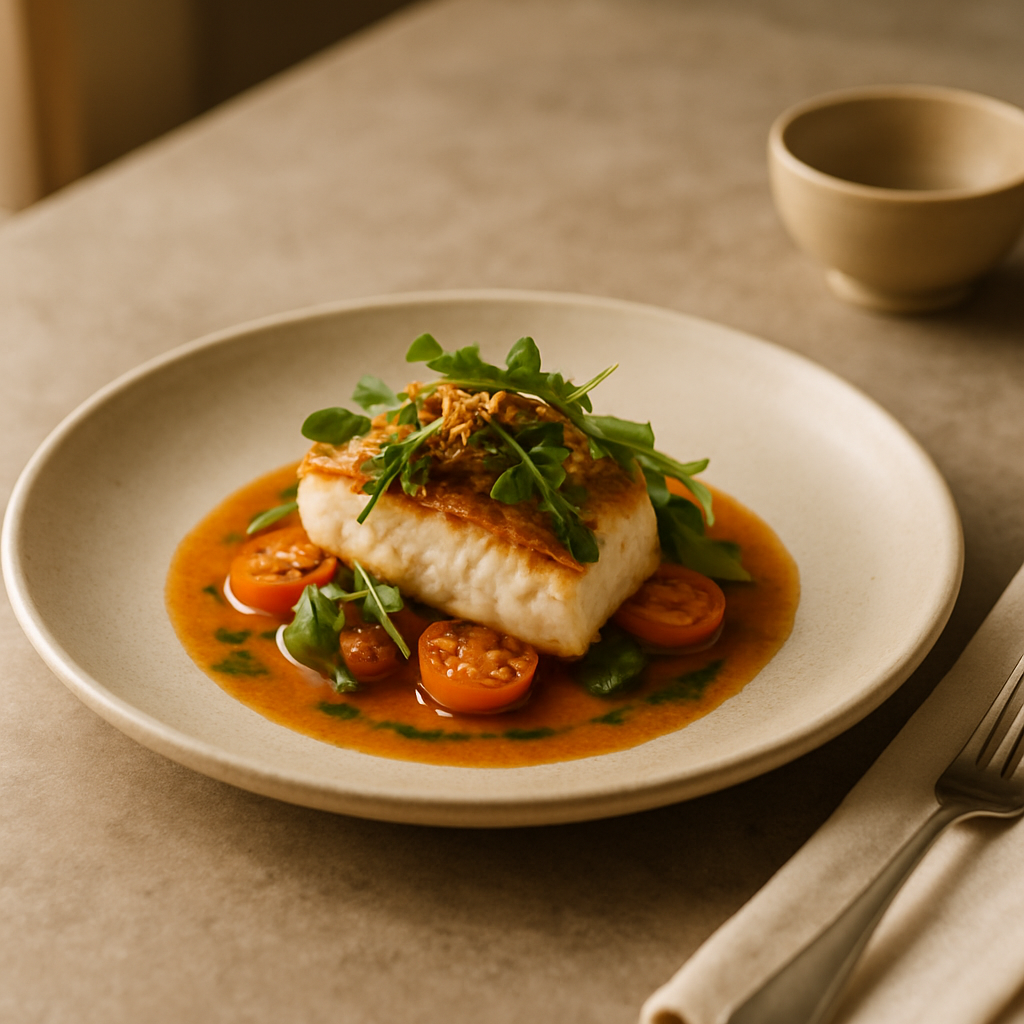
If your dining room still runs on laminated pages while your orders flow in from delivery apps, it’s time to go from printed to digital menu photos — systematically. Great images lift discovery and conversion across your website and delivery marketplaces. Below is a simple five-step workflow any restaurant can run in days, not weeks, without derailing service.
FoodFix replaces traditional photographers with AI food photography built for menus and delivery platforms, making this transition fast, consistent, and budget-friendly.
Why printed to digital menu photos matter
On marketplaces like Glovo, Uber Eats, and Just Eat, the thumbnail is the billboard. Industry reports indicate that improved visuals can drive double-digit gains in click-through and add-to-cart rates, though ranges vary by market and category. Beyond marketplaces, consistent dish photos also unify your brand across your own site, social channels, and in-store screens.
Getting there doesn’t require a studio build-out. You need a clear plan, consistent styling, and a production rhythm that matches kitchen reality. The following five steps keep quality high and costs low.
The 5-step plan to photograph every dish
1) Build a shot list and prioritize
- Export your full menu and mark every sellable item (variants count separately if they look different).
- Prioritize high-margin, high-volume, and signature dishes first. If time is tight, capture your top 20% of sellers this week; complete the rest in the next cycle.
- Define a default angle per category: bowls often work top-down; burgers and sandwiches at 45°; drinks at eye level.
- Note platform requirements you’ll target (e.g., square thumbnails for marketplaces, wider crops for your website product pages). This ensures you capture with the right framing in mind.
2) Standardize plating and styling
- Lock a plating guide per dish: garnish placement, sauce pattern, and portion size. Consistency matters more than props.
- Choose a background set that represents your brand (neutral surface, one accent napkin, one utensil style). Keep it simple to scale.
- Decide on lighting: natural window light is excellent. Place the dish near a window, use a white foam board as a bounce on the shadow side, and turn off mixed overhead lights to avoid color casts.
- Create a batching plan: shoot in 60–90 minute windows before service or during prep, grouping similar dishes to maintain rhythm.
3) Capture or create efficiently
- Smartphone capture basics: clean the lens; shoot in daylight; stabilize with a small tripod or rest the phone on a cup; tap to focus and slightly lower exposure for richer color; take three angles per dish (top-down, 45°, close-up detail). Bracket a few shots brighter/darker.
- Keep steam and gloss alive: brush a little neutral oil on proteins and grill marks right before the shot; add hot water behind dishes to create gentle steam.
- For volume and uniformity, consider AI-powered production. With FoodFix, you upload dish names, menu context, or your quick reference shots and receive consistent, platform-ready images with a 99-second turnaround. Pricing is simple: pay-as-you-go from €1.5 per shot, a Pro plan at €45/month for 30 photos, or a €225 full-menu package when you want it all done at once. This keeps costs predictable while scaling across the entire menu.
4) Standardize edits, names, and metadata
- Crop for the destination: square (1:1) for marketplaces, and 4:3 or 3:2 for your website’s product pages and blog. Avoid heavy filters; aim for true-to-life color.
- Keep backgrounds clean and consistent; a light lift in contrast and clarity helps most dishes pop.
- File naming: Category_Dish_Variant_Angle (e.g., Mains_SpaghettiCarbonara_Classic_45). This supports fast uploads and future asset searches.
- Add descriptive alt text and captions for accessibility and SEO (e.g., “Spaghetti carbonara with pancetta and pecorino, 45-degree angle”).
- Compress images with a quality target of 70–85% to balance speed and detail; use sRGB color profile for web consistency. If you’re using an automated pipeline, configure presets once and apply to all new assets.
5) Publish, test, and maintain
- Upload to marketplaces first where the visual impact is immediate. Check crops on mobile; thumbnails must read clearly at small sizes.
- A/B test hero images for 1–2 flagship dishes on your own site and rotate seasonal specials into the top row of the delivery menu. Industry reports indicate 10–30% differences in click-through between angles and crops, so test thoughtfully.
- Create a monthly refresh slot: update any dish that changed presentation; retire items that are out of season; add new specials before they launch.
- Use FoodFix to add or update dishes on demand for €1.5 per shot, so your digital menu always mirrors reality without calling a photographer.
Mini case study: a bistro’s 72-hour refresh
A neighborhood bistro with a 38-item menu needed delivery-ready visuals fast after adding a third-party marketplace. Day 1, they audited the menu and built a precise shot list. Day 2, the kitchen prepped and standardized plating for 18 priority dishes over a 90-minute window. Day 3, they uploaded reference shots and dish names to an AI workflow to generate a full, consistent image set with matching crops for website and marketplaces. The team reported fewer order questions (“Is that the spicy version?”) and smoother marketplace approvals. While outcomes vary by market, industry reports indicate that clear, accurate photography can reduce returns and improve add-to-cart rates — reinforcing the decision to standardize visuals across every dish.
Platform-ready technical checklist
- Aspect ratios: prepare square (1:1) for thumbnails and a secondary crop (4:3 or 3:2) for your website and social.
- Resolution: aim for at least 1200–1600 px on the short edge; larger hero images can run 2000+ px if your CMS and theme support responsive images.
- File size: keep under 1 MB where possible for fast loads; serve responsive sizes to match device breakpoints.
- Color: export sRGB; avoid heavy filters that shift recognizable colors (greens, sauces, and grill marks should look natural).
- Naming and alt text: use dish names and key ingredients to help search and screen readers.
- Consistency: lock angles per category, maintain one background set, and document any exceptions.
Common pitfalls (and quick fixes)
- Mixed lighting and color casts: turn off overheads, shoot in window light, and use a white card to bounce fill.
- Over-styled plates: viewers want to see portion size and ingredients clearly. Remove clutter; highlight the hero elements.
- Inconsistent angles across a category: define one default angle for burgers, bowls, pastas, and desserts; use close-ups sparingly.
- Blurry thumbnails: stabilize the camera and slightly underexpose; increase clarity in editing for small-screen readability.
- Slow updates: batch monthly refreshes and maintain a living shot list so new items get photographed before launch.
FAQ
Do I need a professional camera to get marketplace-ready images?
No. A recent smartphone, good window light, and consistent angles can produce excellent results. Stabilize the phone, avoid mixed lighting, and keep plating standardized. If you want instant consistency at scale, AI production can standardize look and crops across the entire menu.
How many photos should I take per dish?
Capture three base angles per dish (top-down, 45°, and a tight detail). Publish one hero per platform, keep alternates for seasonal rotations, and test which angle drives better engagement on your own site.
Can I reuse photos from my printed menu?
Yes, if the images are high resolution, color-accurate, and match current plating. Often, printed assets were designed for large formats, not square thumbnails. Re-crop thoughtfully and replace any image that no longer reflects the dish.
What does it cost to scale images across my full menu, and how fast can I get them?
With FoodFix, pay-as-you-go pricing starts at €1.5 per shot, the Pro plan is €45/month for 30 photos, and a €225 full-menu package covers a complete refresh. Turnaround is fast — images are delivered in as little as 99 seconds, ready for marketplaces and your site.
How often should I refresh dish photos?
Refresh any time plating or ingredients change, plus a light review monthly. Seasonal menus benefit from rotating heroes every 4–8 weeks. Keep a running shot list so new items never launch without a visual.
Ready to move your entire menu from paper to pixels with speed and consistency? Start your refresh with FoodFix and publish platform-ready images across every dish in days, not weeks.